Loading...
RHCSA Mock Exam
What you get
- Get one (1) mock exam attempt for $49
- Start the exam as per your convenience
- Complete tasks and submit for evaluation
- Receive a detailed report and feedback within 72 hours

Guidelines
- Purchase and Access: Get instant access post payment and attempt at your convenience.
- Exam Format: Based on RHCSA objectives, conducted in a real-like virtual lab.
- Rules: Attempt independently, no external help, restrict internet, and a time limit applies.
- Submission and Evaluation: Submit exam. Get a feedback report within 72 hours.
- Note: This is a mock exam, not an official Red Hat certification. Non-refundable under any circumstances & non-transferable. Contact support for technical issues.
Exam rules, guidelines & setup
Important Exam Information
- One-Time Launch: Start anytime, but once launched, it cannot be restarted. Your voucher is consumed upon launch.
- Time Limit: 3 hours. The lab auto-submits when time runs out. Manage your time wisely.
- Internet Requirement: A stable connection is mandatory. Reload page in case of temporary disconnection.
- Support: Join our Discord before starting for any assistance for quicker support.
Exam Rules and Guidelines
- Before You Begin: Ensure you have 3 hours as the exam can't be paused or re-launched again.
- During the Exam: Simulates a real RHCSA test. Read carefully, attempt all tasks. Answers are manually reviewed with feedback in 72 hours.
- Auto Submission: The lab auto-submits when time expires. Complete all tasks before the timer runs out.
Exam Setup and Environment
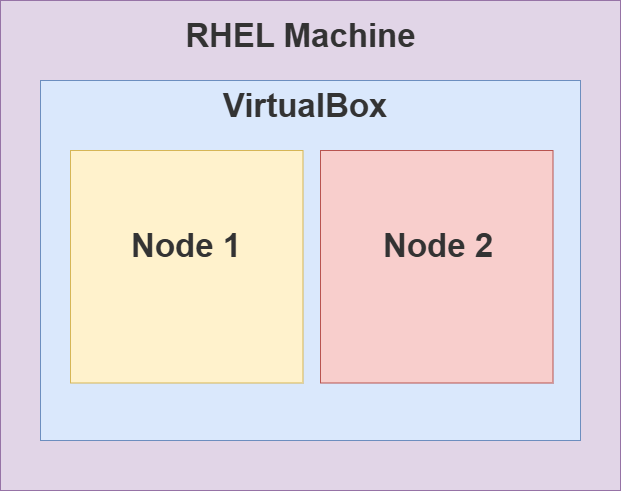
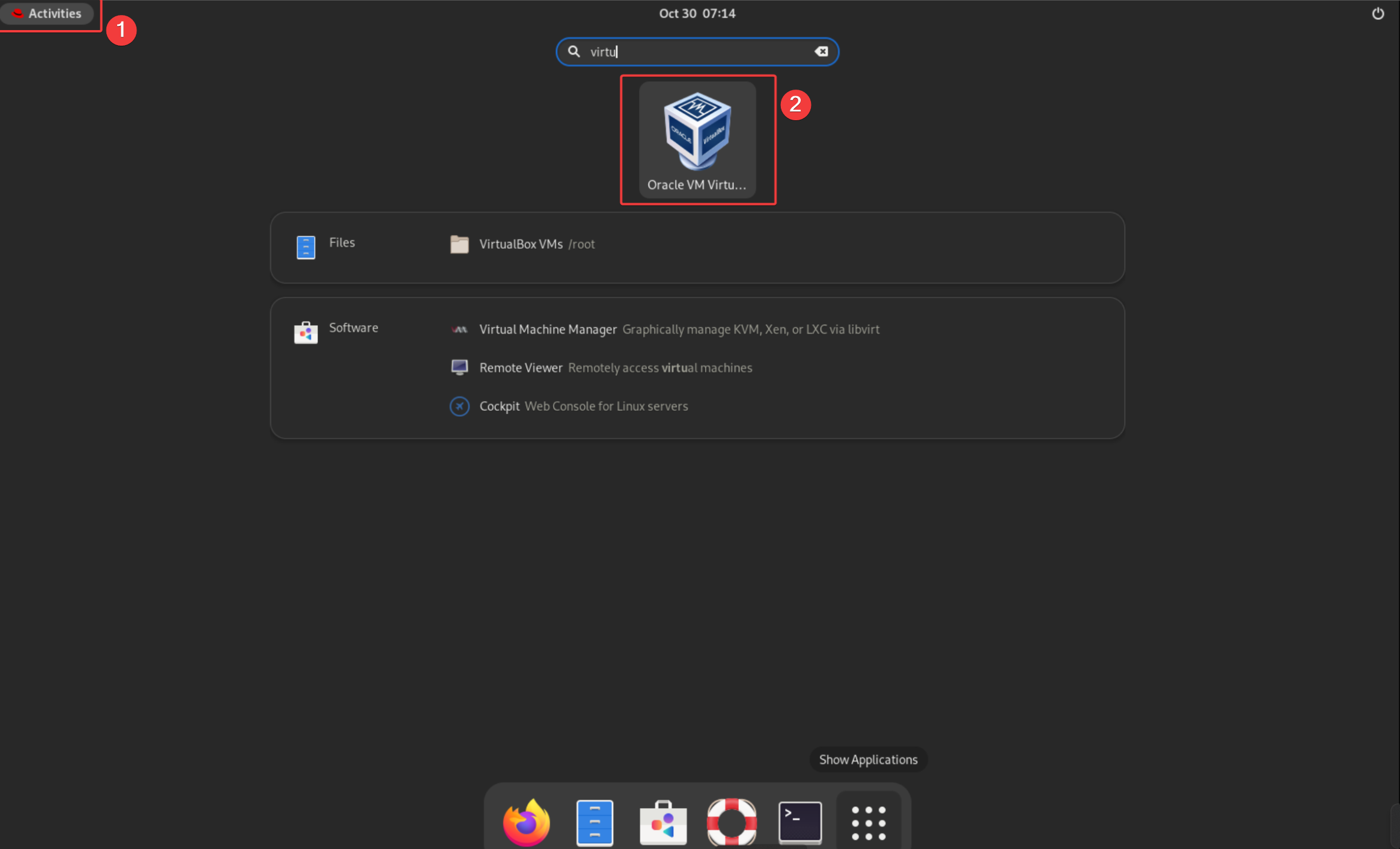

- How to access virtual machines?
- Step 1: In exam RHEL Machine GUI, open VirtualBox.
- Step 2: In VirtualBox application, you can view both virtual machines (i.e. Node 1 and Node 2). You can interact with these.
Important Notes:- Real exam doesn't use VirtualBox but their own environment, you can read more about it here.
- Do NOT delete or change any VM settings unless mentioned in question/task.
- Step 3: Password for Node 1 will be provided in the questions. Password for Node 2 need to be reset.
-
RHCSA Preparation Course
-
FREE Labs
-
Red Hat Administration (RH124)Access Linux File SystemManage Files using CLICreate, View, and Edit Text FilesManage Local Users and GroupsControl Access to FilesMonitor and Manage ProcessesControl Services and DaemonsConfigure and Secure SSHAnalyze and Store LogsArchive and Transfer FilesInstall and Update SoftwareManage NetworkingAnalyze Servers
-
Red Hat Administration (RH134)Improve Command Line ProductivitySchedule Future TasksTune System PerformanceControlling Access to Files with ACLManaging SELinux SecurityManage Basic StorageManage Logical VolumeImplement Advanced Storage FeaturesAccess Network Attached StorageManage Network Security (Firewall)Run ContainersFlatpak Application ManagementSystemd TimersSELinux ManagementMount FileSystems Using UUIDAnalyze and Preserve System LogsManage Containers with QuadletsAutoFS and NFS Client MountsTime Synchronization with ChronyManage System Boot TargetsGRUB2 Bootloader
-
Pre-Exam Practice
-
Labs Beyond SyllabusBasic Command Line ToolsMounting Filesystem and Creating LinksCommand Line Text ProcessingIntroduction to Shell ScriptsIntermediate Shell ScriptingAdvanced Shell ScriptingSELinux BasicsSELinux Policy ManagementSELinux TroubleshootingPodman BasicsBuilding and Running ContainersPodman NetworkingLVM ManagementMultiple Logical VolumesLVM Disaster Recovery
-
Certificate Of Completion
-
RHCSA Mock Exam