Loading...
Get Certificate of Completion at 80%
% completed
Add Your Name
Login to change name
Certificate generation failed. Please try again later.
Certificate generated successfully.
Earn your Certificate of Completion
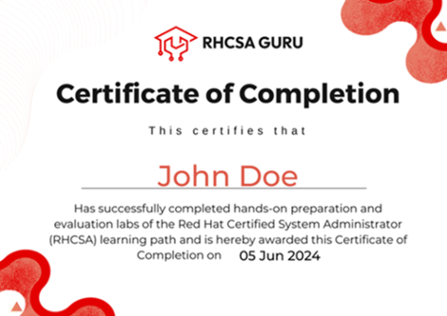
Congratulations on reaching the final step of your RHCSA Preparation Course! Earning your certificate is a simple process that reflects your dedication and hard work throughout the course. Follow the instructions below to claim your certificate of completion.
Steps to Claim Your Certificate
To ensure you can claim your certificate, please complete the following steps:
- Complete the Labs: Each course topic includes practical labs. Ensure you complete all the assigned labs to build your Linux administration skills effectively.
- Mark Labs as Completed: At the end of each lab, click the "Mark as Completed" button. This will update your progress and ensure it is recorded in your course profile.
- Achieve 80% Progress: Once your overall course progress reaches 80% or more, you become eligible to claim your certificate.
Important Notes
- Certificates can only be claimed once, so make sure your name is correct before finalizing your request. If you need to make any changes, update your profile before claiming the certificate.
- Your certificate serves as proof of your commitment and expertise in Linux system administration. It is a valuable addition to your professional portfolio.
- If you experience any issues or have questions about the process, please don't hesitate to contact our support team. We're here to help!
Celebrate Your Achievement
Once you've claimed your certificate, share your success with your network and continue your journey in Linux administration. We're proud to support you in reaching this milestone!
-
RHCSA Preparation Course
-
FREE Labs
-
Red Hat Administration (RH124)Access Linux File SystemManage Files using CLICreate, View, and Edit Text FilesManage Local Users and GroupsControl Access to FilesMonitor and Manage ProcessesControl Services and DaemonsConfigure and Secure SSHAnalyze and Store LogsArchive and Transfer FilesInstall and Update SoftwareManage NetworkingAnalyze Servers
-
Red Hat Administration (RH134)Improve Command Line ProductivitySchedule Future TasksTune System PerformanceControlling Access to Files with ACLManaging SELinux SecurityManage Basic StorageManage Logical VolumeImplement Advanced Storage FeaturesAccess Network Attached StorageManage Network Security (Firewall)Run ContainersFlatpak Application ManagementSystemd TimersSELinux ManagementMount FileSystems Using UUIDAnalyze and Preserve System LogsManage Containers with QuadletsAutoFS and NFS Client MountsTime Synchronization with ChronyManage System Boot TargetsGRUB2 Bootloader
-
Pre-Exam Practice
-
Labs Beyond SyllabusBasic Command Line ToolsMounting Filesystem and Creating LinksCommand Line Text ProcessingIntroduction to Shell ScriptsIntermediate Shell ScriptingAdvanced Shell ScriptingSELinux BasicsSELinux Policy ManagementSELinux TroubleshootingPodman BasicsBuilding and Running ContainersPodman NetworkingLVM ManagementMultiple Logical VolumesLVM Disaster Recovery
-
Certificate Of Completion
-
RHCSA Mock Exam